Gallery week: an art gallery, an owner Studio and Le Bot shipped
Seven gallery PRs on LelandGreenProductions (art gallery, owner Studio, Le Bot, albums, a mobile fix, AI cost audit) plus an automated docs refresh on the ChameleonLabs site.
The week ending 2026-09-19 was gallery week. We merged eight PRs, and seven of them landed on LelandGreenProductions, the private repo that powers Leland's personal website. Almost all of those are about one thing: an art gallery with an owner-side Studio behind it. The eighth was a docs refresh on the ChameleonLabs site. We'll get to that one at the end (it's short).
The gallery and Studio (#6, #7)
PR #6 started it, as v1.2.0. The site now has a dedicated art gallery. Visitors can browse artwork, open a viewer with proportional zoom and fullscreen, ask optional AI questions about a piece and send an inquiry tied to a specific artwork. Behind it sits a dedicated AWS API with private state and original-file storage, plus source-IP administration on the API Gateway.
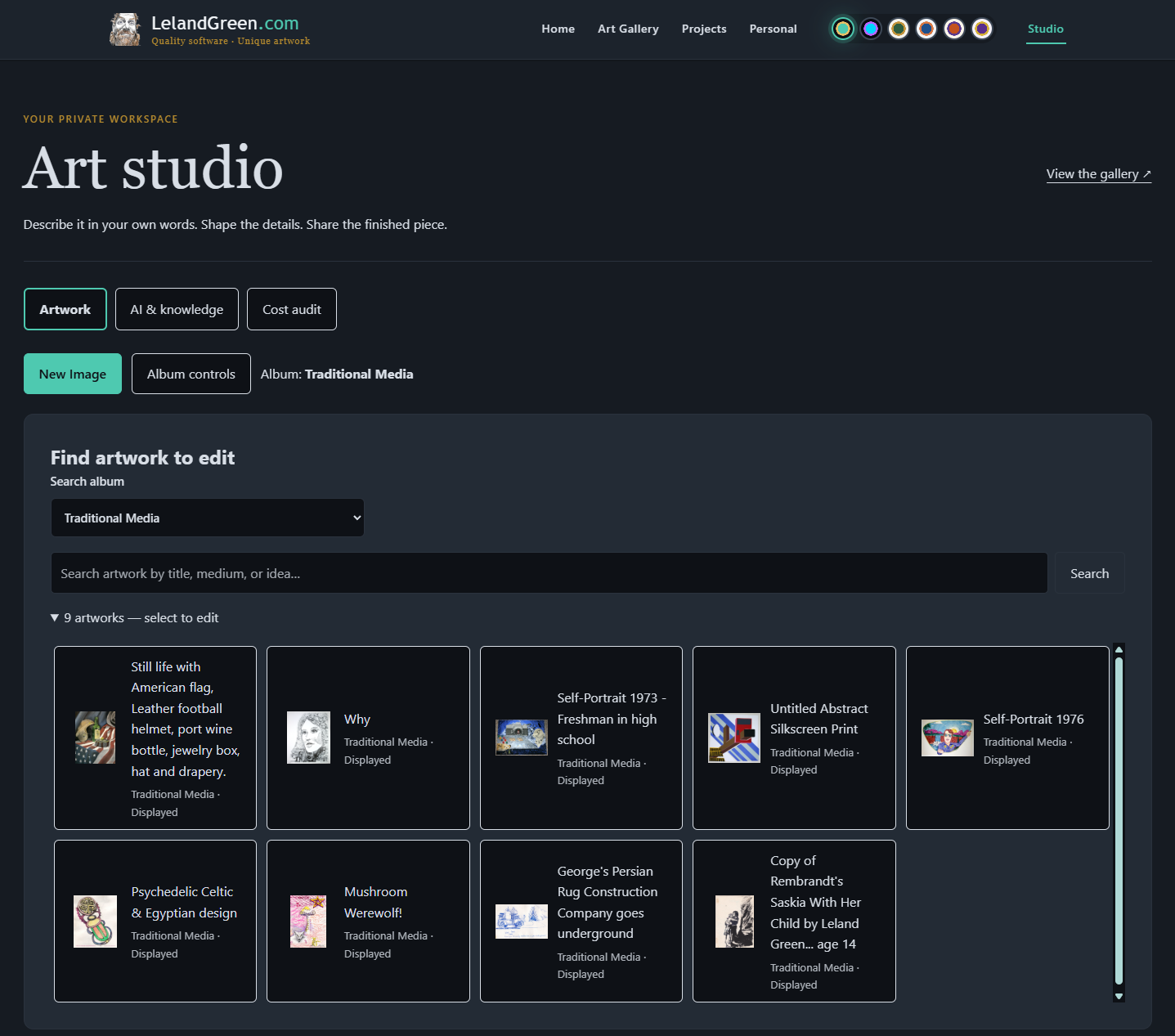
The owner side is called Studio. Uploads, editable metadata, AI interviews that we review before anything goes live, and conditional publication. Nothing publishes until the owner says so.
Then #7 added Le Bot. It's a sitewide chat window that streams answers, shows a bounded set of relevant artwork cards and keeps recent conversation context. There's an editor for the approved public knowledge it draws from, so what it knows is a list we approved.
Same PR added opt-in device storage. Visitors choose separately whether to save browsing controls, form drafts, artwork drafts and history. Four switches, each one off until you flip it. Studio also picked up a few small things: artwork can publish without a creation date, new pieces start as not for sale and Studio shares the public gallery search.
Albums, a resizable viewer and one editing path (#9, #11, #12)
Gallery images now have one compact control row with resizable space above and below the artwork. Each splitter has a small minimize/restore icon on the right end. Collapse the controls and the whole row goes away. Descriptions render as styled, sanitized Markdown.
Studio can create albums, move artwork between them and toggle whether an item shows at all. Hidden items stay out of publication. #11 added album renaming that keeps the album ID and existing artwork links intact. It also fixed an annoying one. Saving an album-only or display-only change used to leave the unsaved flag set, so Work on wouldn't switch to another artwork. Now it clears. Other unsaved edits (metadata, descriptions, replacement images) still get the discard guard, which is what you want.
#12 (v1.7.0) cleaned up the flow. There's now one path, Find artwork then Edit image, a clear New Image action and an album-controls popup. Display settings stay with the image, and an album or display save no longer clobbers other pending edits. Pick a new image and the AI fills in editable suggestions from a reduced, metadata-stripped preview. Field labels tell you which values are AI suggestions and which are owner edits.
A mobile fix and a cost audit (#13, #14)
#13 (v1.7.2) was a real bug. On mobile browsers the fullscreen action could vanish, either hidden because native fullscreen wasn't available or pushed out of view by the single-row toolbar. The viewer now always offers fullscreen, with an immersive viewport fallback when the browser can't do the real thing, and the controls stay centered and wrap at the top. The close control moved outside the toolbar, the splitter minimize buttons went away and scrollbars are themed.
#14 (v1.8.0) is the one we're most pleased with. Gallery Studio now has online configuration for the nonsecret AI settings, models and prices pulled from the registry and measured spending reports. So we can see what the AI features actually cost instead of guessing. There are separate tabs now for Artwork, for AI & knowledge and for Cost audit, and field-filling AI stays with artwork editing where it belongs. Image-date recognition became its own step with proportional zoom, rectangle selection and an explicit review/apply. Publish readiness lists the missing details right beside the action, so you know why the button won't go.
The docs refresh (#309)
The librarian run on the ChameleonLabs site regenerated feature docs for the pages that changed since last time: the HealthCheck, Maestro, QuickStock and Tincture app pages, Tincture pricing, age confirmation, the cookies page and the cookie consent wrapper. Automated and boring. Exactly what we want from it.
Go look at the gallery if you're curious. Happy to show the Studio side to anyone.